


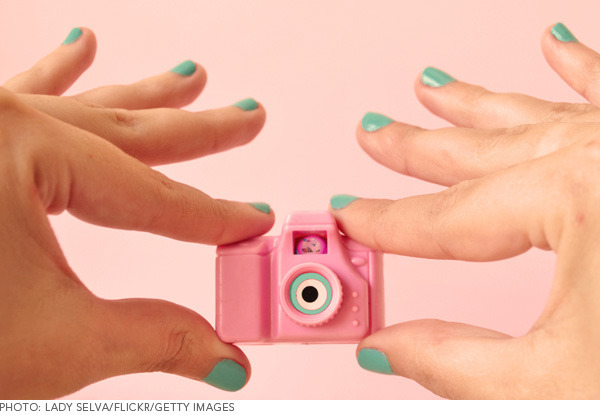
With so many camera choices out there, it can be frustrating trying to find the best model for your needs. From battery life to aperture, research is key when it comes to picking your next camera. It can be daunting to see rows and rows of choices at the stores without knowing what your possible new toy can and should do for you. Whether you’re an avid self-photographer or a makeup newbie, check out our list of camera basics first.

1. Megapixels
There’s a lot of misconception in the market that the higher resolution, the better the camera. Resolution relates to the number of pixels in an image—the more pixels in an image, the clearer it will look. To shoot pictures destined for the internet, a 5 to 7 megapixel camera will do. If you plan on diving into professional printing or editing, then 10+ is the way to go.

2. Flash
In situations where there is low light, invest in a built-in flash that will do your eye shadow justice. The only issue? You may end up with vampire-esque eyes in a shot. Make sure the camera you choose has a red eye reduction feature to stop you from looking like the walking dead.

3. Camera Modes
When taking a beautiful swatch shot, a macro setting will help stabilize and focus your camera to capture the perfect photo. Make sure that the camera you choose has several options for the different types of pictures you plan to take (i.e. outdoor, nighttime, vivid, automatic, etc...).

4. White Balance
White balance, the adjustment of hues in an image (mostly red, green, and blue), is used to neutralize an image so it doesn’t appear too warm or cool. This features is also called neutral or gray balance, and most cameras already come with an auto setting so you look more beach babe than oompa loompa upon first snap. While auto white balance will make your life easier, having a camera with manual settings is very useful. If you’re in a room with fluorescent light, it will save you time in editing the color of your lipstick by adjusting your camera to the proper light settings before you click the shutter.

5. HD Video
If you’re planning on purchasing a point-and-shoot that will suit multiple needs (including video content), make sure you invest in a camera that shoots in HD, which visibly enhances the clarity of film (perfect for makeup tutorials!). You don’t want to watch a blurry tutorial not knowing whether or not the eye shadow on the model is actually blended or not.

6. Accessories
Take a look at the type of camera you’re buying and factor in whether or not you’ll need to purchase accessories. Some will save you time and heartache, others are unnecessary. If you’re taking snaps of yourself and get tired of trying to prop your camera on a stack of books, splurging on a tripod can make the world of difference. If your camera has wireless remote capability, take advantage so you don’t have to walk back and forth to set the self-timer.
If you’re still having trouble finding the best camera for you, research online, look at photography forums, and read user reviews. It’s better to dedicate the extra homework so all your money will go into a product optimized for your personal makeup photography style.
Good Molecules: See a difference in your skin
New Arrivals
-
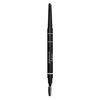
Sisley-Paris Phyto-Sourcils Design 3-in-1 Architect Pencil 5 Taupe
$75
-
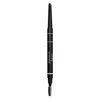
Sisley-Paris Phyto-Sourcils Design 3-in-1 Architect Pencil 6 Espresso
$75
-
Nudestix Nude Beach 6-Piece Eye Pencil Palette
$69
-
Danessa Myricks Beauty ColorFix 24-Hour Cream Color Matte Sundaze
$20
-
Danessa Myricks Beauty ColorFix 24-Hour Cream Color Matte Oasis
$20
You Might Also Like
-

Tips & Tricks
How to Talk to Your Audience
- 362
-

Community
Audio Tips for Video Tutorials
- 34
-
Tips & Tricks
Basic Photoshop Editing Tips, Part 2: Image Size and Orientation
- 386
-
Community
iMovie Editing Tips
- 89
-
Content Creation
Get Over Recording Jitters
- 31
-
Content Creation
5 Video-Promoting Ideas To Boost Your Viewership
- 88
-
Content Creation
Photography Tips for a Beautiful Shot
- 121
-

Community
Inspiration for Video Content Creation
- 42