


Profile Pictures. Help
4



Good Molecules: See a difference in your skin
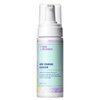
New Arrivals
-
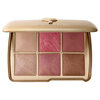
Hourglass Ambient Lighting Edit Unlocked - Hope
$98
-
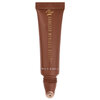
Danessa Myricks Beauty Glosswork 4D Ultra Shine Plumping Gloss Honey Cocoa
$26
-
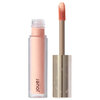
Jouer Cosmetics Brightening Under-Eye Corrector Light Bright
$20.30
-
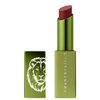
Chantecaille Lion Guardians Lip Veil Candelabra
$55
-
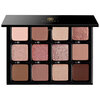
Viseart VisePRO™ Étendu Bon Bon Praline Lumière
$44
May 19, 2014
Sara B.
How to add pics to your profile.
May 19, 2014
Dereanna D.
Go to your profile and where you have your profile picture there should be a little camera in the upper right corner click that.
May 19, 2014
M G.
You can do it online or on your mobile.if you do it on your mobile, when you go to your profile you can click on the little camera ont the corner and add a pic.
May 20, 2014
Charlene F.
I have problems changing my pic. but yeah click the cam and upload from your album.