Our customer service team in the US is ready to assist you.
Monday - Friday
7 AM – 4 PM PT
Saturday
7 AM – 4 PM PT
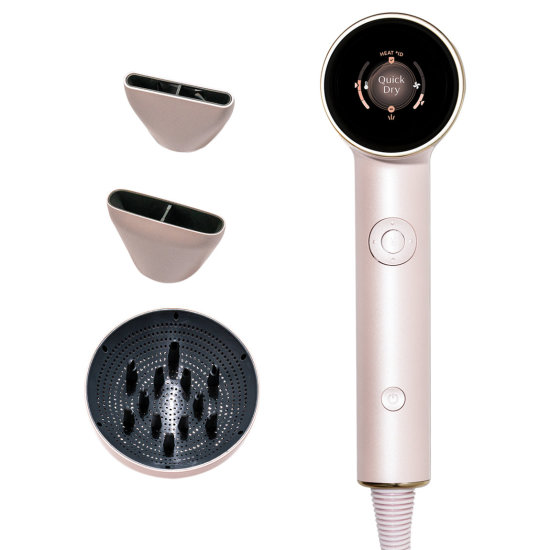
Meet the smartest hair dryer you’ll ever use: T3 Aire IQ Intelligent Hair Dryer. This intelligent dryer instantly adapts to your unique hair type, texture, and styling preferences for faster results and enhanced damage protection.
Powered by T3 Heat ID Technology, it adjusts heat and speed settings to your unique hair type—delivering quicker drying time while helping protect your hair’s natural moisture.
It comes with three attachments you can swap in to create everything from sleek blow outs to defined curls. The smart attachment recognition detects the connected attachment and automatically refines temperature and airflow, while a hi-res display and built-in memory stores your styling settings for instant personalization each time you pick it up.
Change attachments as needed and Aire IQ will update settings accordingly.
To reset your Aire IQ back to factory settings, long-press the center control button until the Menu screen appears. Use the arrow buttons to select Reset, then press the center control button to confirm. You will receive a pop-up that reads "Confirm reset to original settings?" To confirm, press the center control button. The dryer will turn off, and when you power it back on the dryer will be reset.
To exit Heat ID and use Manual Mode, simply use the arrows to select from 5 heats, 3 speeds, and the ion setting. Once you make these changes, the top of the screen will read “Manual.” Once in Manual Mode, if you wish to switch back to Heat ID, simply press the top arrow and you will see Heat ID appear at the top of the screen again.